
You can delete this user to remove all the welcome posts
SumUp Integration Setup with AirPOS on IOS
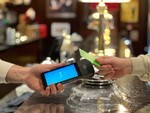
AirPOS is fully integrated with SumUp to take card payments on the POS. You'll need a SumUp account which you can create via the following links:
How to Use a Barcode Scanner to Add Items Through the Backoffice
In AirPOS deliveries are input via the backoffice so that items can be added from any location via a web interface. There is currently no option for adding inventory at the point of sale.
Opening .CSV Files and Using Barcodes in Spreadsheets
Because many barcodes may begin with zeros or other characters you may encounter difficulties when entering or scanning them onto your spreadsheet if the cells have been defined (by default) as numeric (Excel will remove leading zeros).
How to Create Categories and Subcategories for Your Products in the Backoffice
Your categories will appear on the POS screen and your items will be located within those. If an item is unassigned to a category it will only be visible after a product search.
How to Automatically Generate Product Variants in your Backoffice
Let's say you have a range of t-shirts. They are all t-shirts but they vary in size, colour or style for example. In AirPOS, both on the POS and for AirPOS e-commerce, you will want to create a range of this type of product for example a small, red, skinny fit t-shirt or an XL, blue t-shirt
How to Setup Low Stock Warnings for your Items
If you have a large inventory it can be difficult to keep an eye on stock levels across your catalogue for re-ordering purposes which is where 'just in time' warnings can be invaluable, especially at frantic periods such as Christmas.
How to use the Dymo LabelWriter to Print Barcoded Labels for your Products
The first thing to do is to download and install the DYMO Label software from support.dymo.com Do not connect the printer to your computer until after the software installation is complete.
Stock Level Report
In order to obtain a report of what stock you are holding you will need to login to the backoffice of your account athttps://backoffice.airpointofsale.com
Assisted Setup of Inventory and Hardware
AirPOS provides a free setup service to help you upload your inventory and help with the setup of your hardware.
Deleting Employees after they Leave.
At present, because of the need to preserve sales data it is not possible to entirely delete an employee when they cease working for a retailer using AirPOS.